New Sword Weapon Guide, Enhanced Navigation, and Visual Polish
🆕 New Features
-
Added comprehensive Sword & Blades weapon guide page featuring detailed combat information, weapon showcase videos, and official trailer footage from trusted sources.
- Introduced interactive weapon category navigation on the Weapons & Equipment hub page, making the Swords & Blades section fully clickable and redirecting to the dedicated guide.
- Added vertical video lightbox functionality for the sword showcase, allowing users to view the weapon model in full-screen mode with a single click.
- Implemented animated particle effects on the sword guide banner, featuring falling golden sparks that enhance the visual atmosphere and match the weapon theme.
🔧 Improvements
- Banner optimization: Redesigned the sword guide banner to fill the entire container width, eliminating visible background edges and creating a seamless visual presentation.
- Video display: Optimized vertical video container to show the full sword showcase without cropping, ensuring the weapon model is completely visible from top to bottom.
- Trailer presentation: Streamlined the official combat footage section to feature a single auto-playing muted video instead of separate sound/silent versions for improved user experience.
- Interactive elements: Enhanced hover effects on weapon category cards with smoother animations and visual feedback when users interact with clickable sections.
- Removed the standalone weapon icon from the sword guide banner to reduce visual clutter and focus attention on the banner image and title.
🎨 Visual Enhancements
- Applied golden color scheme (#ffd700) throughout the sword guide to create thematic consistency and distinguish it from other weapon categories.
- Added energy wave animations around guide icons that pulse outward periodically, creating dynamic visual interest.
- Implemented smooth scroll animations for info cards and sections as they enter the viewport, improving the overall reading experience.
- Enhanced combat ability cards with glow effects on icons and smooth translation animations on hover.
📱 Responsive Design
- Optimized all sword guide sections for mobile devices with adjusted layouts, font sizes, and spacing for screens below 768px.
- Ensured vertical video showcase maintains proper aspect ratio and visibility across all device sizes.
- Adapted grid layouts to single-column displays on smaller screens while preserving visual hierarchy.
🧩 Developer Notes
-
The sword guide uses a modular CSS architecture with the
lnf-sword-sectionnamespace, making it easy to create similar guides for other weapon categories. - JavaScript particle systems are performance-optimized with automatic cleanup to prevent memory leaks during extended browsing sessions.
- Video autoplay functionality includes fallback handling for browsers that block autoplay, with manual play triggers as backup.
-
All weapon category cards now support the
data-linkattribute for easy expansion to additional weapon types.
📅 Next Patch Preview
- Expand the weapons arsenal with dedicated guides for Ranged Weapons, Magic Weapons, and Heavy Weapons categories.
- Add weapon comparison tables once official game stats become available at launch.
- Implement legendary weapons showcase section with unique visual treatments for rare and mythical blade discoveries.
- Create interactive weapon builder allowing users to explore potential enchantments and upgrade paths.
One‑Page Buildings Hub with Tabs, Verified Voyagers Spotlight, and Readability/Linking Fixes
🆕 New Features
- Introduced a modern, single‑page Buildings Hub with tabbed sections: Overview, Building Guides, and Materials (no separate pages needed).
- Added a Verified “Voyagers” Spotlight news card with badges, proper YouTube thumbnail, and gold/cream typography.
- Added Featured Shortcuts that jump directly to the Guides or Materials tabs.
🔧 Improvements
- Building Guides tab: Lightweight search, chip filters (All/Starter/Defense/Aesthetics), and simple sort placeholder (Newest/Popular/Difficulty).
- Materials tab: Chip filters (All/Wood/Stone/Metal/Rare), search, and sort (Name/Rarity/Weight) using data attributes to simplify future data entry.
- Design consistency: Unified palette (gold/cream), removed default blue link styling, refined hover/focus states, and accessible tab ARIA states.
- SEO section readability: Added a dark, high‑contrast background with subtle glow for better text legibility.
🐞 Bugfixes
- Building links unified: All Building icons, buttons, and feature items now link to the Buildings page/sections as intended.
- YouTube thumbnail: Implemented a proper thumbnail with a fallback from maxres to hqdefault when needed.
- Tab navigation: Fixed activation states and added smooth in‑page jumping from Featured cards.
🧩 Developer Notes
- Scoped classes with
lnf-build-*to avoid collisions; tabs are pure JS toggles without external dependencies. - Guides use
data-tags; Materials usedata-type,data-name,data-weight,data-rarityfor easy population later. - Spotlight news uses CSS background for the thumbnail plus a silent
<img>preload; badges are simple utility chips.
📅 Next Patch Preview
- Populate first wave of real Building Guides with images and structured steps.
- Expand Materials database (stats, sources, crafting synergies, rarity icons).
- Introduce Showcase tab with community builds and submission flow.
- Add breadcrumbs and basic schema.org markup for SEO.
🎯 How to Access
- Open the Buildings page; switch between Overview, Building Guides, and Materials using the new tabs.
- Use the Featured cards on Overview to jump directly to the desired tab.
Building, Crafting & Fishing Section Added, Design and Bugfix Updates
🆕 New Features
- Building, Crafting and Fishing section added (Content structure fully built, no link embedding yet, improvements and refinements scheduled)
- New style for the Navigation Menu (style better adapted to the page design)
- New style for the Homepage search function (style renewed, icon is now expandable and responds to text input)
- Homepage Menu design improved (aligned with rest of wiki standards, badges added, Main Hub more highlighted)
- Homepage Wiki Categories design improved (aligned with rest of wiki standards)
🐞 Bugfixes
- Fixed coloring issue with Monster banner in Skeleton section
📅 Next Patch Preview
- Classes & Builds section renewal – modernization, improve overview, make links clickable
- Link new content
- Set new timer
- Fix bugs and integrate feedback
Major Wiki Overhaul
Hello explorers,
After much deliberation, I have decided to completely overhaul the wiki! My goal is to focus more on clarity, thoroughness, and design, so that even users without much wiki experience can easily find what they need.
What’s New?
- Clearer structure and easier navigation
- Modern, more readable design
- Expanded guides and up-to-date information
Current Focus
For now, this wiki is developed primarily for desktop use. Making it fully mobile-friendly is a huge challenge for a solo project, and I simply don’t have the time at the moment. The site is also almost entirely built in HTML, which can be quite limiting!
What’s Next?
- Gradually improving mobile support
- Adding more categories and in-depth guides
- Fixing broken links and polishing the user experience
Wiki Background Added, Classes & Guides Section Completely Redesigned
🆕 New Features
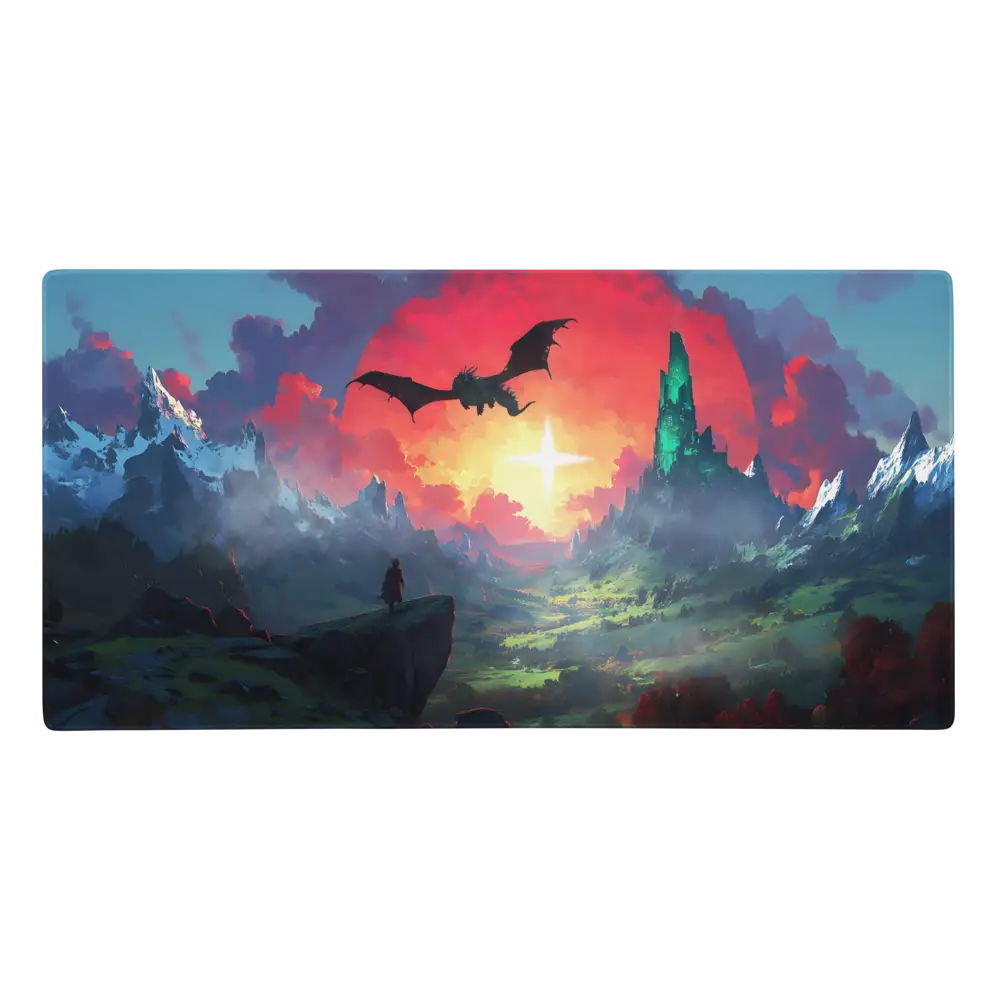
- New Wiki Background added with stunning Light No Fire themed artwork
- Complete overhaul of Classes & Guides section (minimalistic design, clickable links, reduced loading times through elimination of unnecessary image elements)
- Homepage news timer updated to Gamescom date (No new game information revealed at Summer Game Fest)
🔧 Improvements
- Classes section now features detailed stats, armor types, and difficulty ratings
- Streamlined class descriptions with strengths and weaknesses breakdown
- Enhanced visual hierarchy and user experience across class cards
- Optimized loading performance through reduced image dependencies
🐞 Bugfixes
- Navigation menu mobile adaptation reverted to previous format (new version caused dropdown menu expansion issues)
- Fixed mobile navigation functionality and touch responsiveness
📅 Next Patch Preview
- Enhanced mobile adaptation across all sections
- Wide-screen monitor optimization and layout improvements
- Continued performance optimizations and user experience enhancements
🎮 Game Event Updates
- Gamescom 2025 Watch: Countdown timer updated to focus on upcoming Gamescom event
- Summer Game Fest: No Light No Fire announcements made during the event
- Next Opportunity: All eyes now on Gamescom 2025 for potential game reveals
Small Fixes and Mobile Improvements
Several minor issues have been fixed to improve your experience:
Bug Fixes & Content Updates
- Fixed incorrect links in the Classes and Races sections, properly linking races to their clickable icons on the Races overview page
- Changed the title from “Mammal Race” to “Badger Race” for better clarity and accuracy
- Updated all race section URLs from “Folk” to “Race” for consistency across the wiki
- Resolved various small bugs and broken internal links
Mobile Usability Improvements
- Started initial steps towards better mobile device compatibility
- Completely redesigned the main menu for improved mobile display
- Replaced the compass icon with a highlighted, clickable “Main Hub” button for better visibility and user guidance
- Optimized touch targets and responsive design elements
What’s Next?
- Link adjustments and redirects will be updated over the coming days
- Continued focus on mobile optimization and user experience
- Building our independent community at r/LightNoFireWiki
- Ongoing content improvements and bug fixes
Summer Game Fest Countdown, Game Awards Shirt Tease, and Updated Release Expectations
🆕 New Features
-
Added a global Summer Game Fest 2026 countdown module that replaces the old Game Awards 2025 timer and now targets June 5, 2026 as the next major potential reveal window.
- Introduced a new top News card covering The Game Awards 2025 outcome: no Light No Fire announcement, but a subtle on‑stage T‑shirt tease featuring the LNF logo.
- Added an updated Release & Community box that summarizes the current expectation of “no earlier than 2026” and explicitly highlights major shows like Summer Game Fest as likely stages for future reveals.
🔧 Improvements
- News section: The Gamescom 2025 card text now points forward to Summer Game Fest 2026 and future Geoff Keighley shows instead of The Game Awards 2025 as the “next big hope”.
- Release box: Replaced the outdated “strongest rumor: December 2025 / Game Awards” line with a clearer, speculation‑tagged overview focused on 2026+ and recent interview statements.
- Community Hub footer: Converted the previous Game Awards 2025 countdown into a Summer Game Fest 2026 event countdown, including adjusted heading, helper text, and target date.
- Reduced visual clutter by removing older, less relevant news items so that the latest Game Awards 2025 and Voyagers information is more prominently visible.
🐞 Bugfixes
-
Removed accidentally visible technical markers such as
[web:1]from all affected text blocks in the News, Release, and Community sections so that no raw citation placeholders appear in the frontend anymore. - Unified countdown IDs and DOM access in the Community Hub so that the Summer Game Fest countdown consistently finds all elements and does not reference missing or duplicate nodes.
- Cleaned up minor text inconsistencies (event names, years, placeholder notes) that still implied The Game Awards 2025 as the primary expected release moment.
🧩 Developer Notes
-
The central countdown in the Community Hub now uses a dedicated
initCountdown()setup for June 5, 2026; once the event goes live, the title and helper message automatically switch to a “LIVE” state. - The new Game Awards news entry is explicitly marked as a Community item with a source badge to distinguish between official communication and fan interpretation of the shirt tease.
- The Release section is intentionally conservative: no fixed dates, emphasis on “tiny team in the background” statements, and a focus on major show windows rather than promises about a specific launch day.
📅 Next Patch Preview
- Add a compact timeline box with all key event milestones so far (TGA 2023 reveal, SGF 2025 silence, TGA 2025 shirt tease, SGF 2026 countdown).
- Expand News badges (Official / Community / Speculation) to make source transparency across the entire wiki even clearer.
- Optional Roadmap section that gathers well‑sourced community theories about release windows (2026+) and clearly separates them from official information.
Community Hub Complete Overhaul: Video Banner, Interactive Navigation & Game Awards Countdown
🆕 Major New Features
- Dynamic Video Background Banner: Replaced static hero banner with immersive Light No Fire themed video background that loops seamlessly
- Interactive Tab Navigation System: Fully functional tab switching between Player Guides, YouTube Guides, Community Discoveries, and Screenshot Gallery
- Clickable YouTube Integration: Official Light No Fire trailer now directly accessible with multiple click zones (thumbnail, title, button)
- Animated Statistics Counter: Hero section stats now feature smooth counting animations when scrolled into view
- Enhanced Submission System: Toggle-able submission guides with smooth animations for better user experience
🔄 Event Updates
- Game Awards 2025 Countdown: Timer switched from Gamescom to Game Awards 2025 (December 1st placeholder date)
- Event Focus Shift: Community hub now targeting The Game Awards as next major announcement opportunity
- Real-time countdown with animated separators and hover effects on time blocks
🗑️ Content Removal
- Holy Bacon Empire Guild: Removed the guild subcategory and all associated content as requested
- Cleaned up guild section to focus on active community groups only
🔧 Technical Improvements
- Complete CSS restructure with improved responsive design and proper centering
- JavaScript functionality overhaul: Added error handling, performance monitoring, and accessibility features
- Enhanced keyboard navigation support with arrow key tab switching
- Smooth scrolling animations and improved visual feedback across all interactive elements
- Optimized video loading with proper fallbacks and performance considerations
🎨 Visual Enhancements
- Floating badge animation in hero section with subtle movement effects
- Improved content section transitions with fade and slide animations
- Enhanced button hover states and interactive feedback throughout the hub
- Consistent spacing and alignment corrections across all sections
- Better mobile responsiveness with improved touch targets and layout adaptation
🐞 Critical Bugfixes
- Tab Navigation Fixed: Resolved issue where community discovery tabs were not clickable
- Content Display Fixed: Corrected alignment issues where intro glass section was shifted to the right
- Layout Centering: Fixed container positioning and responsive behavior across all screen sizes
- Toggle button functionality now works correctly for submission guidelines
- Resolved video background compatibility issues across different browsers
⚡ Performance Optimizations
- Lazy loading implementation for images and content sections
- Optimized animation performance with hardware acceleration
- Reduced JavaScript execution time through better event delegation
- Improved initial page load speed with progressive content loading
🔮 Developer Features
- Added comprehensive debugging tools for development environment
- Enhanced console logging with detailed initialization feedback
- Custom event system for better third-party integration possibilities
- Performance monitoring hooks for tracking user experience metrics
📅 Next Patch Preview
- Community submission backend integration for real user-generated content
- Enhanced screenshot gallery with actual community submissions
- Advanced filtering and search functionality for guides and discoveries
- Social media integration improvements and sharing capabilities
🎯 Known Issues
- Game Awards 2025 date is placeholder – awaiting official announcement
- Some video backgrounds may not display on older mobile devices
- Statistics counter animation may appear delayed on slow connections
Monster Sections Renewed, Small Fixes and Community Improvements
🆕 New Features
- Monster profile sections completely redesigned and improved with new Monster Guide section and enhanced structure for Ogre and Skeleton
- Monster profiles in the bestiary overview are now clickable and interactive
- Community Discord server setup in progress
🔧 Improvements
- Enhanced monster profile navigation and user experience
- Improved visual design consistency across monster sections
- Ogre and Skeleton icons under Monster Bestiary are now fully clickable
🔗 Links & Community
- Updated all Reddit links to our new dedicated subreddit: r/LightNoFireWiki
- Community Discord server currently being configured for upcoming launch
📅 Development Schedule
- Next Major Update: June 10, 2025
- Exception: Immediate updates for Summer Game Fest announcements
- Focus: Continued content expansion and community features
The Wiki Overhaul is Almost Complete!
Greetings explorers,
After blood, sweat, and tears, I now present to you the nearly completely overhauled version of the wiki.
As promised, I have focused on an appealing design with easy navigation and user-friendliness! We are almost at the end of the first alpha of the wiki!
Development Philosophy
Since it is still a one-man project, progress in some areas is slower than in others, but I take the time to keep quality and integrity at a constant level. Light No Fire has not yet been released, and we are all eagerly awaiting the Summer Games Fest on 06.06, hoping for news.
Current Status
- Modern, appealing design with easy navigation
- User-friendly interface and improved accessibility
- Structural foundation for future content expansion
- Quality-focused development approach
What’s Next?
- Completion of remaining links and sections
- Content expansion based on game release
- Community-driven content integration
- Continuous quality improvements
Thank you for your support, and I look forward to everything this project will become.
~ Losi